Colors
Look up the exact colors for typed data, node families, and source status in Round Trip diagrams.
On this page
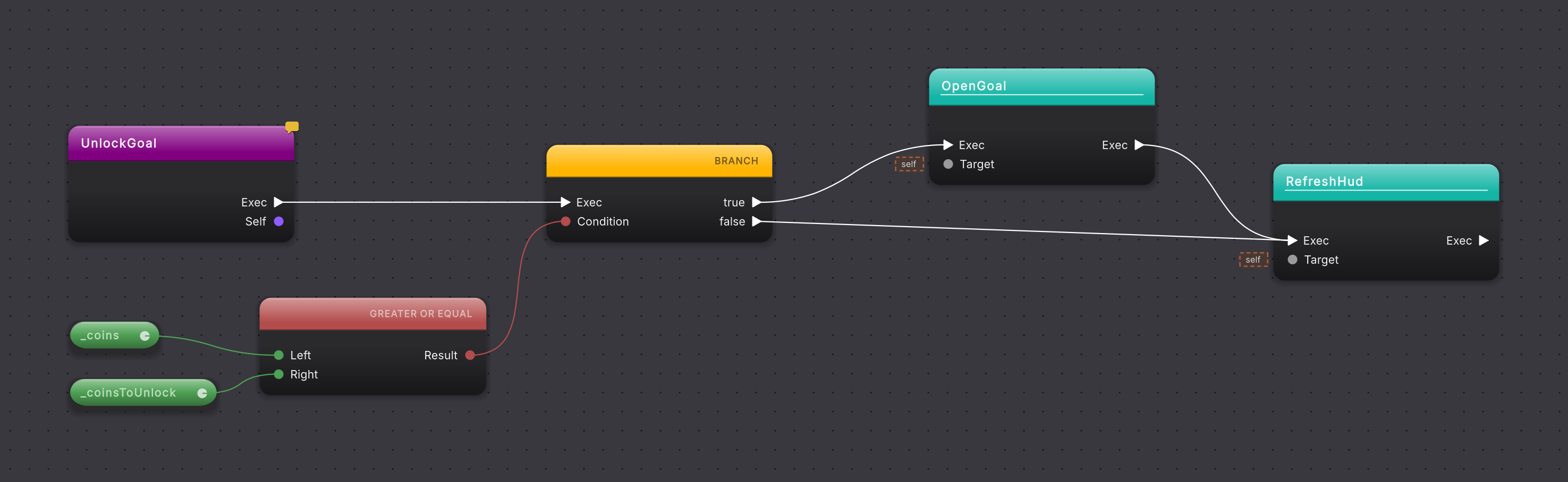
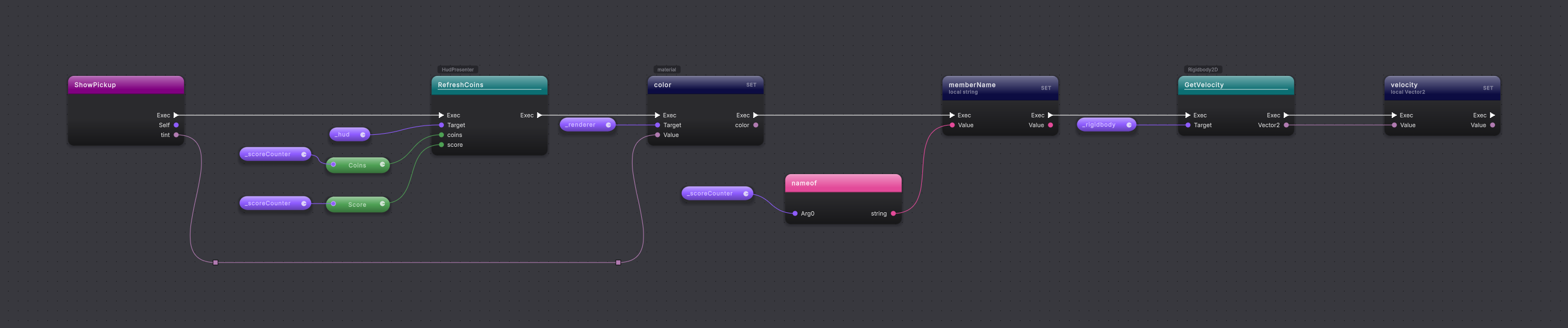
Color carries two separate facts. A node with exec pins is colored by what it does. A pin or wire is colored by the kind of value it carries, and so is a node with no exec pins, because it produces a value rather than a separate step in execution. Source-status stripes add a third signal in the Explorer without changing what the diagram means.
Read color together with the pins
Select a screenshot to enlarge it.
Data pins and wires
Section titled “Data pins and wires”| Var | Hex | C# aliases recognized |
|---|---|---|
--bq-data-int |
#4EA054 |
int, long, short, byte, signed and unsigned variants, nint, nuint, and their System.* names |
--bq-data-float |
#6CB47A |
float, double, decimal, and their System.* names |
--bq-data-bool |
#B34D4D |
bool and System.Boolean |
--bq-data-string |
#E34A99 |
string and System.String |
--bq-data-char |
#6B8B9A |
char and System.Char |
--bq-data-object |
#8E5CFF |
Reference types, interfaces, delegates, Unity objects, keyed containers, and named non-first-class types |
--bq-data-struct |
#B07AB0 |
Value types, DateTime, Guid, Nullable<T>, ValueTuple, and common Unity structs |
--bq-data-void |
#808011 |
void and System.Void |
--bq-data-default |
#808011 |
default |
--bq-data-wildcard |
#9A9A9A |
Empty or unresolved types, ?, null, dynamic, var, unknown, and unresolved |
--bq-data-exec |
rgba(255,255,255,0.70) |
Exec wires and pins |
A GET pill’s unlabeled helper pin uses rgba(255,255,255,0.45). A named non-primitive type falls into object/reference purple unless Round Trip knows it is a value type. Wildcard gray means the type has not been resolved, not “some object.”
A typed value’s box takes its pin’s color. On a pin that accepts any object, such as the message pin of a Log call, the value typed there decides the color of the box and the pin instead: "hello" is string pink; 5 is int green; true is bool red. See Pills and literals.
Nodes with no exec pins
Section titled “Nodes with no exec pins”A node with no exec pins takes the color of the value it produces: the same color as its result pin and wire. A comparison such as GREATER THAN or EQUALS, and a logic node such as AND or OR, is Boolean red. A string interpolation is string pink. ADD or MULTIPLY on whole numbers is integer green, and on float the lighter float green. A Vector3 calculation is struct mauve. GET pills already worked this way.
Three kinds keep a family color instead:
- A call keeps its call color (this class, other class, or external) whether or not it has exec pins, so a method looks the same wherever it is called.
- An unsupported node stays placeholder gray.
- A node with more than one result, such as a tuple break or a LINQ Where with its Result and item pins, or with a result that has no named type, uses Default Pure green.
Two pairs are close: an object-purple value node and the purple Entry node, and a char value node and the slate gray of an external call. Tell them apart by their pins: an Entry node has no inputs, and a value node has no exec pins.
Node families
Section titled “Node families”| Family | Token | Value | Used for |
|---|---|---|---|
| Entry / Exit | --rt-cat-entry-exit |
#800080 |
Method entry, end, and return-family nodes. |
| Flow / Conditions | --rt-cat-flow |
#FFB400 |
Branches, loops, switches, break, continue, yield, and flow gates. |
| Event | --rt-cat-event |
#8B0707 |
Method groups, custom event entries, and direct custom-event handler calls. |
| Dispatcher | --rt-cat-dispatcher |
#6A0DAD |
Event subscribe, unsubscribe, raise, and dispatcher definitions. |
| Default Pure | --rt-cat-pure |
#095F19 |
A node with no exec pins and no single typed result: a tuple break, a deconstruction, or a value of unknown type. Other value nodes use their result’s type color. |
| Default Impure | --rt-cat-impure |
#0C0C42 |
Statements and side effects without a more specific family, including SET. |
| Call: this class/superclass | --rt-cat-call-this |
#15B5A6 |
Calls to this class or a superclass. |
| Call: other class | --rt-cat-call-other |
#0B6E72 |
Calls to another type the compiler resolves: a class in your project, or a Unity or .NET type. |
| Call: external | --rt-cat-call-external |
#566573 |
Calls that resolve to no method in the project or anything it references, shown with ↗ after the title. |
| Assignment variant | --rt-cat-assignment |
#FF9F43 |
Assignment and declaration variants where distinguished. |
| Await variant | --rt-cat-await |
#00A8FF |
Await and asynchronous flow variants. |
| Try/catch variant | --rt-cat-try-catch |
#CD6133 |
Exception handling scopes. |
| Using variant | --rt-cat-using |
#2E86C1 |
Resource scopes. |
| Placeholder | --rt-cat-placeholder |
#787878 |
Unsupported or placeholder nodes. |
A node with exec pins answers “what does this node do?”; its data pins and wires answer “what value moves through it?” A call that returns bool stays in its call family; only its result pin and wire use Boolean red.
Logging and assertion calls follow the same rule as every other call. Debug.Log, LogWarning and LogError, and Assert checks such as IsTrue, are declared on Unity types the compiler resolves, so they are dark teal call cards with Debug or Assert named above the header. They look the same when you place one from a menu and after Compile reads it back from the script.

Source and draft status
Section titled “Source and draft status”| Status | Token | Value |
|---|---|---|
| Modified | --rt-status-modified |
#D29560 |
| Added | --rt-status-added |
#6FC491 |
| Renamed | --rt-status-renamed |
#5FB6FF |
| Deleted | --rt-status-deleted |
#D4574C |
| Draft | --rt-draft |
#8A6FD0 |
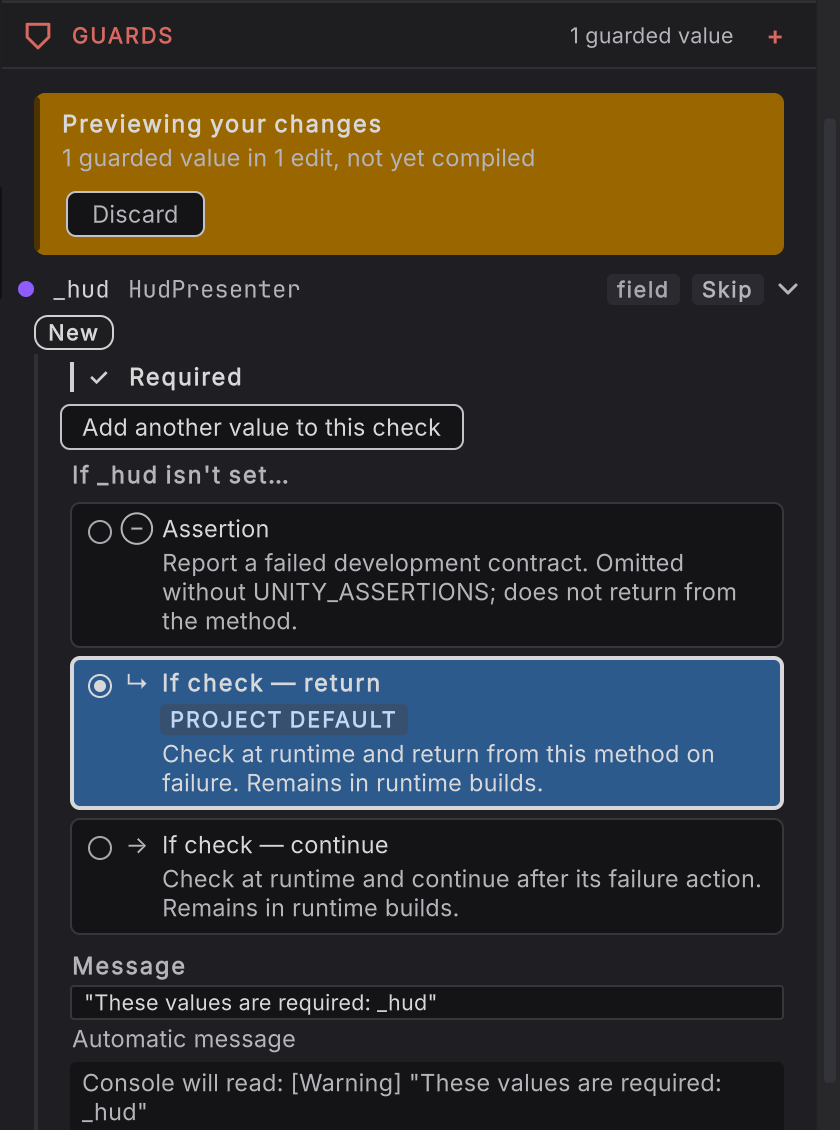
Modified, added, renamed, and deleted appear as source-status signals. Draft purple marks an uncompiled in-session change, including the Previewing your changes. banner.