
Install
Add Round Trip to Unity, choose the C# folders to index and open the Platformer example.
On this page
Round Trip supports Unity 2022.3 or newer. The current package is validated on Unity 6000.5, with the Platformer project pinned to 6000.5.11f1.
-
Open the project in Unity 2022.3 or newer. Let its existing packages and scripts finish importing before adding Round Trip.
-
Add
io.bitquirky.roundtrip.enginethrough Window > Package Manager, or add it to the project manifest your team already uses for Bit Quirky packages. If you received a.unitypackageinstead, import it through Assets > Import Package > Custom Package. The package depends onio.bitquirky.graph0.2.71 andcom.unity.vectorgraphics2.0.0-preview.25, and Package Manager resolves both. -
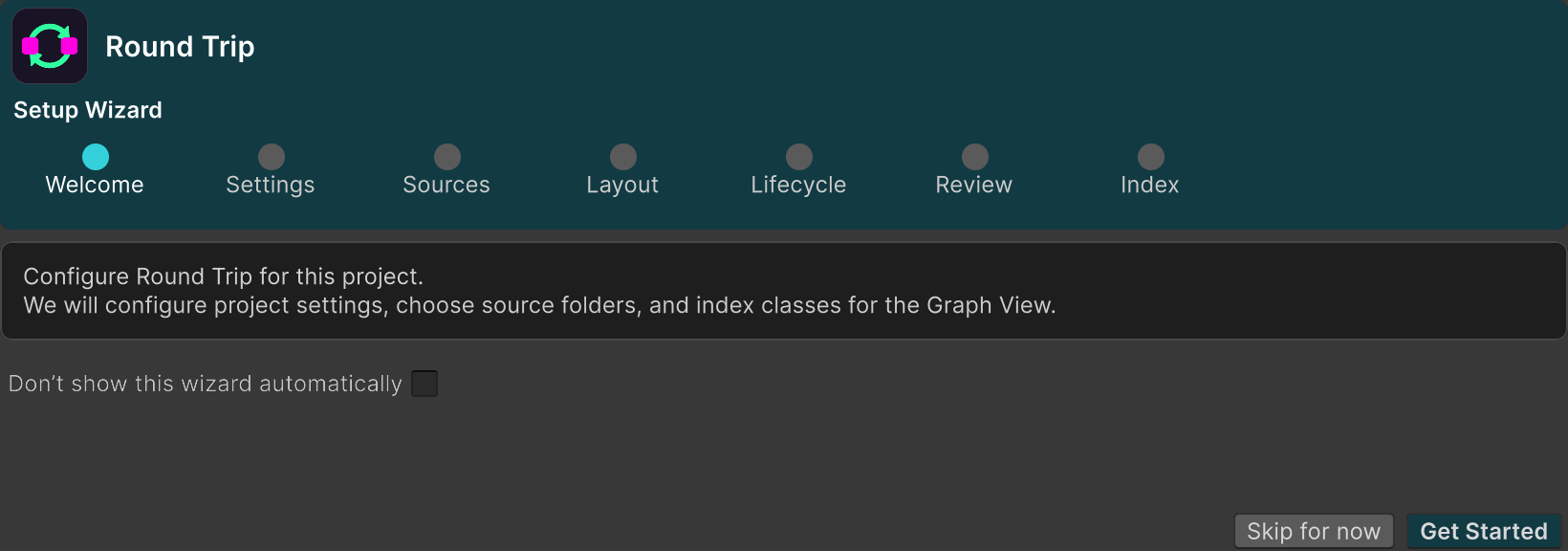
Choose Tools > Round Trip > Graph View. When the project has no include paths, this first open shows the Round Trip Setup Wizard instead of an empty graph window.
-
In the wizard, choose the folders containing the C# you want Round Trip to index. Keep the set focused on game code you intend to read or edit.
-
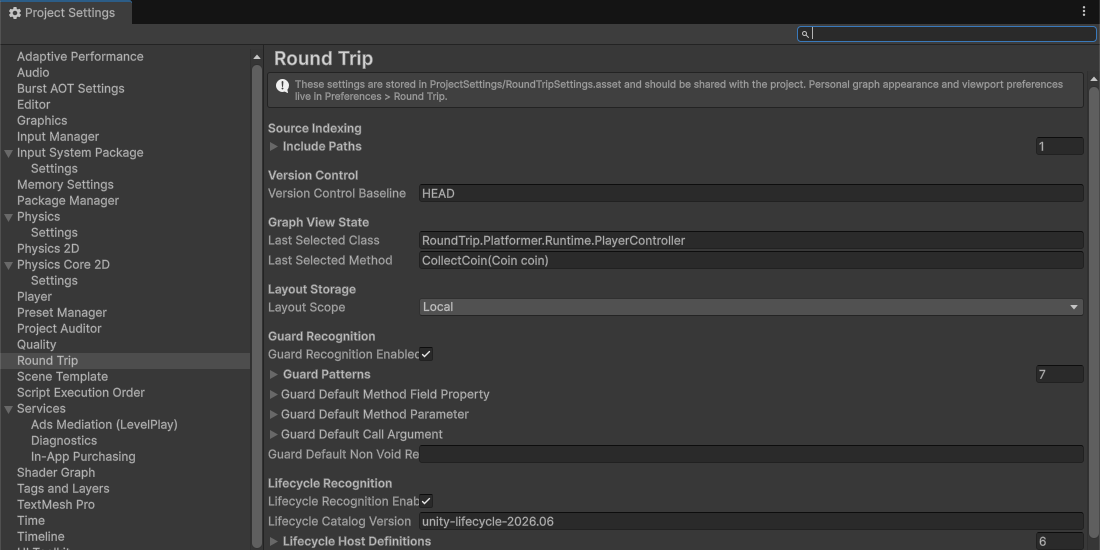
Review Project Settings > Round Trip. Confirm the include paths and choose whether graph configuration should be local to this machine or shared with the project.
-
Open Tools > Round Trip > Graph View again. The Round Trip Graphs window opens with indexed classes in the Explorer.
-
Pick a class, then pick one of its methods. The canvas shows the method parsed from its C# file.
-
Open the Platformer example project at
unity/RoundTrip_Platformer, loadAssets/Platformer/Scenes/Platformer.unity, then openPlayerController.CollectCoinin Round Trip. Play the scene to see the coin pickup that method controls.
What the package contains
Section titled “What the package contains”The parser and generator live in compiled Core and Engine DLLs. They are not shipped as source. The Unity package itself is C# source: the Explorer, UI Toolkit controls, indexing, settings, menus and editor integration under Runtime/ and Editor/. The shared canvas comes from io.bitquirky.graph.
If Unity reports that a Round Trip DLL is missing, use Troubleshooting before continuing.
- Your first method: create source through the graph.
- Read a class you did not write: open existing code without changing it.
- Platformer: play the example and tour its scripts.
- Compatibility: see versions, dependencies and shipped assemblies.