
Read a class you did not write
Open a Platformer method as a graph, trace its branch, and confirm every step against the C#.
On this page
The goal door opens after enough coins. Someone else wrote that rule. You can find it, follow it, and confirm it in C# without beginning from a wall of punctuation, and the same steps work for a tutorial script, a forum answer, or an asset you bought.
The problem
Section titled “The problem”An existing project has a class named ScoreCounter. You need to answer one practical question: what happens when the coin count changes? The answer crosses a guard, a calculation, a HUD update, and a final branch.
When to reach for it
Section titled “When to reach for it”- You pasted in code from a tutorial, a forum answer, or an asset and want to work with it visually.
- You inherited a Unity project and need the route through one method.
- A class name makes sense, but its method body does not yet.
See it
Section titled “See it”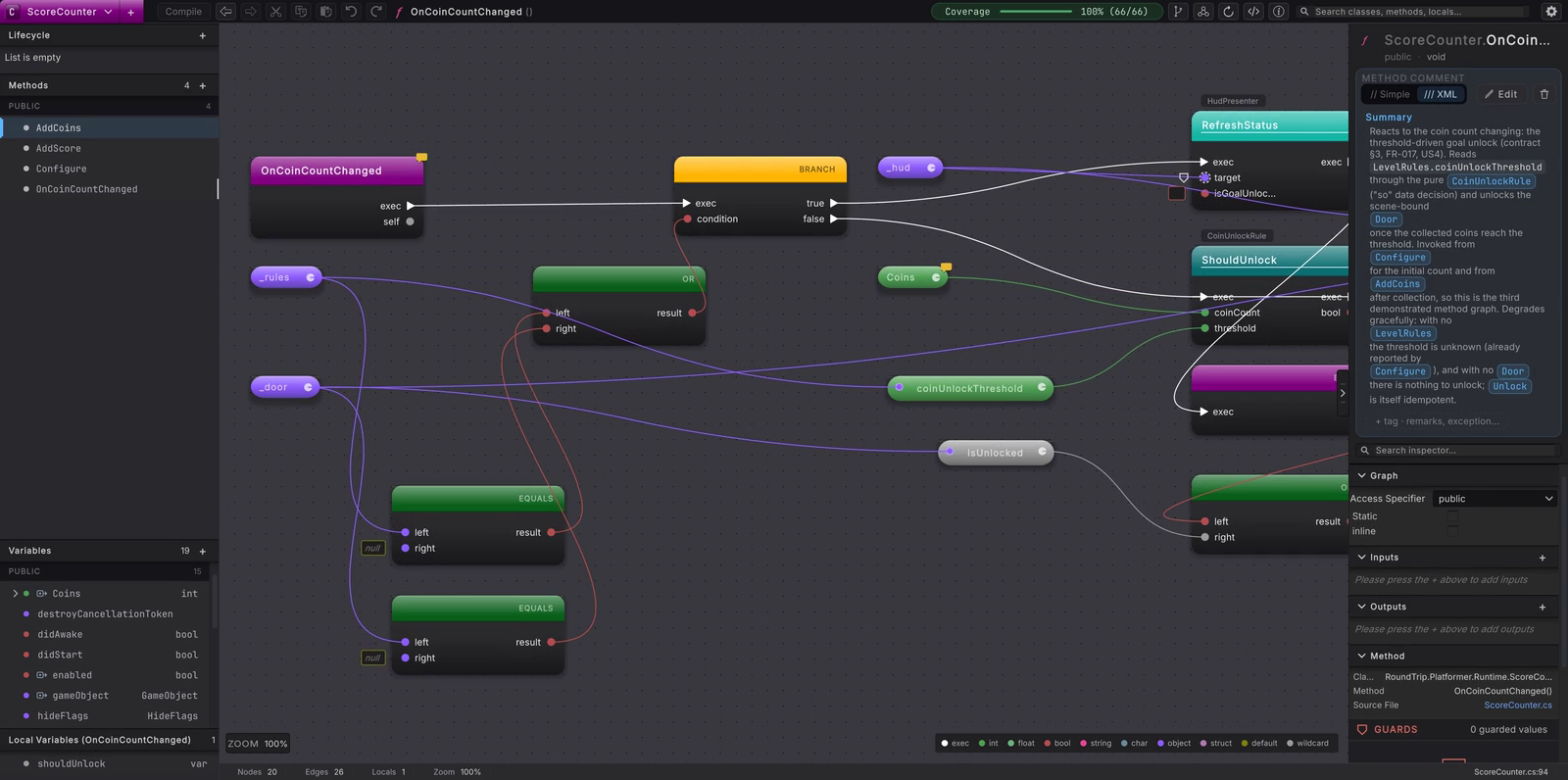
-
Open the Platformer Unity project. In the Project window, select
Assets/Platformer/Runtimeand choose Assets > Round Trip > Add Folder to Round Trip. This adds the runtime folder to the project’s source include paths. -
Open Tools > Round Trip > Graph View. The Round Trip Graphs window opens in Graph View.
-
Press Cmd/Ctrl+K. Type
ScoreCounter, then choose theRoundTrip.Platformer.Runtime.ScoreCounterclass. The Explorer rail fills with its members. -
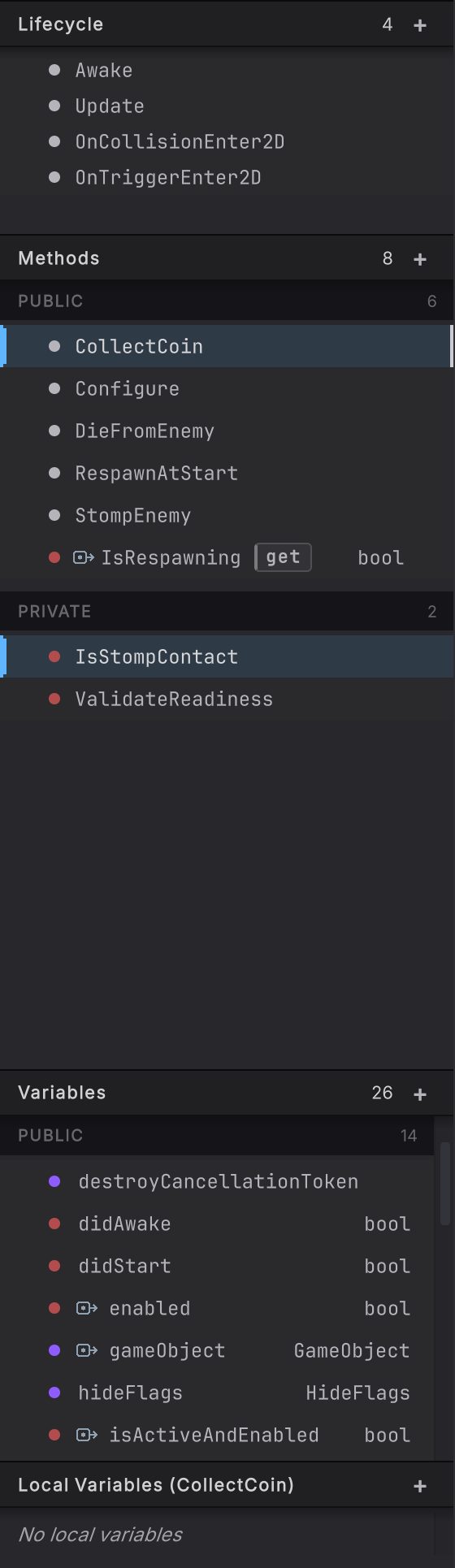
Under the public methods, choose
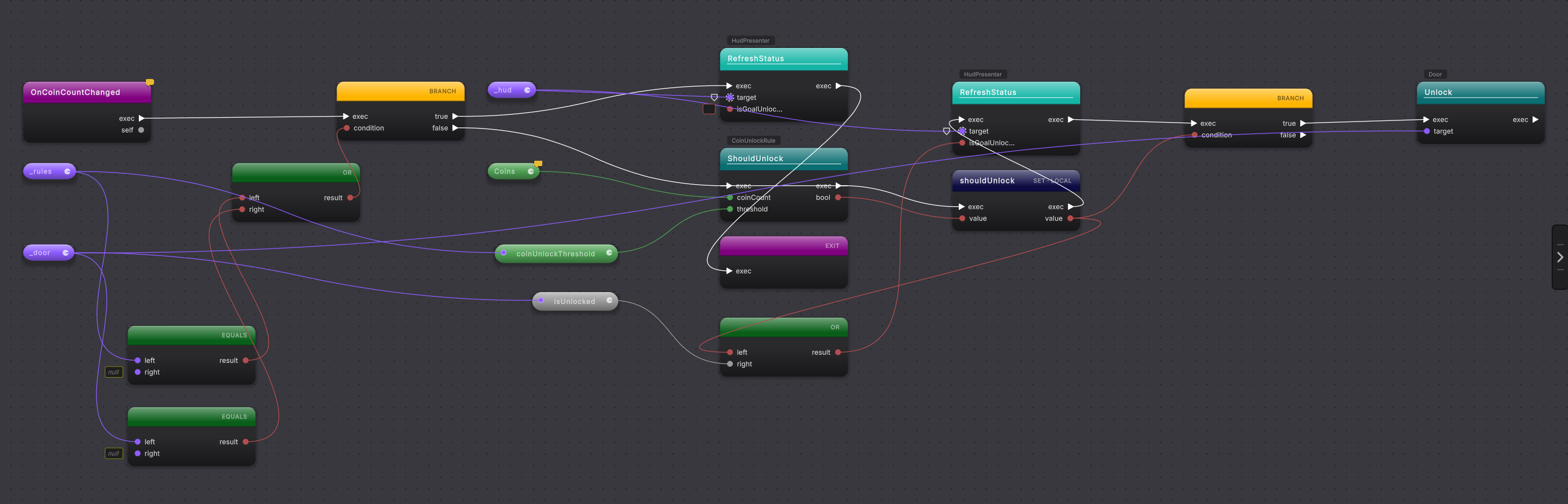
OnCoinCountChanged. Start at the purple entry node. Follow the white exec wire into the first branch. -
Read the first condition from its pills:
_rulesor_dooris missing. Follow the true output. The method refreshes the HUD as locked, then reaches a return node. That is the early exit. -
Return to the branch and follow false. Read the
CoinUnlockRule.ShouldUnlockcall. Its data wires carryCoinsand_rules.coinUnlockThreshold; the result becomes the local valueshouldUnlock. -
Continue along the white exec wire. The HUD call receives a condition built from
shouldUnlockor_door.IsUnlocked. The final branch asks only whethershouldUnlockis true. Its true output calls_door.Unlock().
-
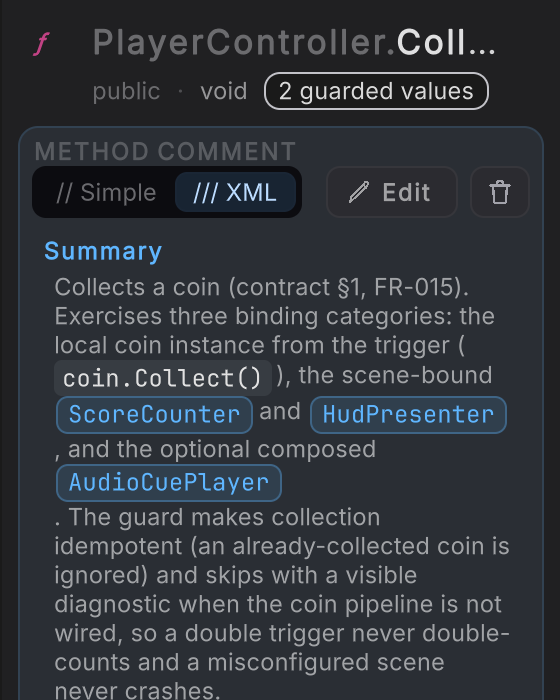
Look at the right rail’s identity header. Confirm the method name and the metadata line
method · public · void. The last word tells you the method returns no value. -
Confirm the graph in source. For an ordinary method row in the current editor, double-click the row or the active method title to open its body. The label View in Source appears on accessor rows; the ordinary method uses the double-click source gesture.
-
Read the source from top to bottom and match each block to the route you traced: guard, threshold call, HUD call, final branch, door call.
When it goes wrong
Section titled “When it goes wrong”When it goes wrong
| Symptom | Check | Fix |
|---|---|---|
| ScoreCounter does not appear in the class picker. | Open Project Settings > Round Trip and inspect the source include paths. | Select Assets/Platformer/Runtime and use Add Folder to Round Trip again. |
| The graph opens on a different method. | Read the highlighted row in the Explorer and the active method title. | Choose OnCoinCountChanged from ScoreCounter again. |
| A data value seems to appear from nowhere. | Follow its colored wire back to a pill or call result. | Pan left until the producing node is visible, then read the pin label. |
| The graph and source seem different. | Look for a Unity compile or import still in progress. | Wait for Unity to settle, then use Reload to run the parse again. |
- Change it visually, then Compile: turn one value in a known method into a source edit.
- Branch: read true and false routes without losing the main path.
- Navigate to source: move between graph evidence and C#.