Common shapes
Six common flow patterns that keep appearing in gameplay code, each shown with a method from the Platformer sample.
On this page
A method can look unique in C# while using a shape you already know. Gameplay code keeps returning to six common shapes. Each page states the pattern in general terms, traces its diagram, shows the source, and makes one small extension visible.
Each shape is shown with one method from the Platformer sample, a sample from the optional Round Trip Sample - Platformer package and that you import into a test project, so every page names a real class. Once its folder is indexed, the same reading works on any method in your project that has the shape.
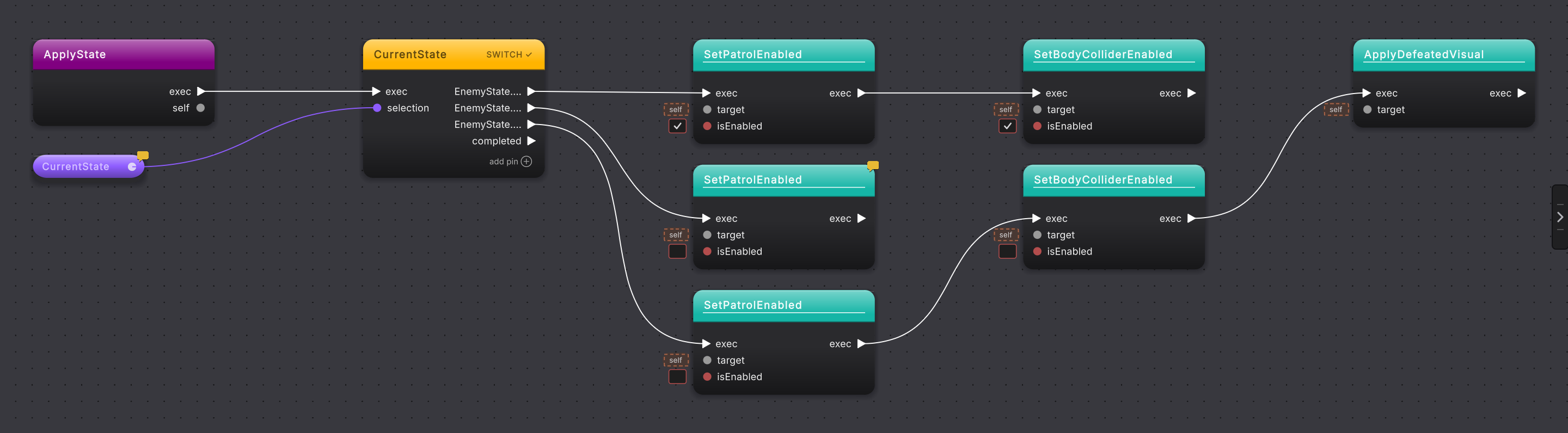
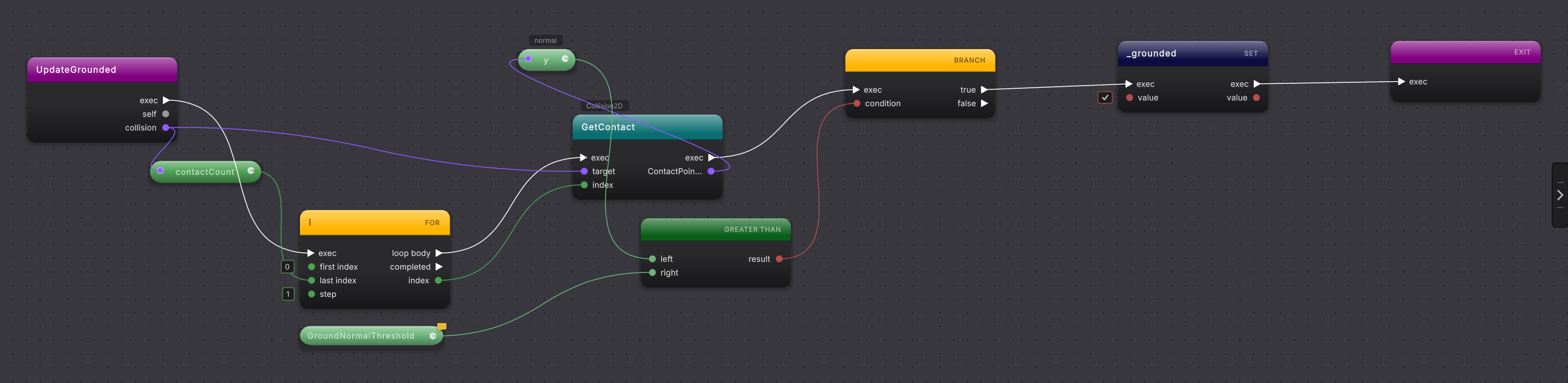
Compare three control-flow shapes
Select a screenshot to enlarge it.

The six shapes
Section titled “The six shapes”- Guard clause: leave a method early when its input or state rules out the work. In the sample,
Door.Enterleaves early for a missing player, locked goal, or completed level. - Count and threshold: turn a running total into a yes or no decision. In the sample,
ScoreCounter.OnCoinCountChangedturns a coin total into a door decision. - Switch on a state: give each enum value its own calls. In the sample,
EnemyStateMachine.ApplyStatedoes this for each enemy state. - Turn at the edge: reverse direction only when a bound is reached while moving toward it. In the sample,
EnemyPatrol.FixedUpdatereverses at the left or right bound. - Scan a list: visit items until the first match, then stop. In the sample,
PlayerMotor.UpdateGroundedfinds the first contact normal that points up past the grounding threshold. - Call a neighbor: hand work to the components that own it. In the sample,
PlayerController.CollectCoinpasses work to the coin, score, HUD, and audio components.
Read the flow guides when the white execution wire is the question. Read calls and data when the component receiving a call, a value passed into it, or its returned value is the question.
- Guard clause: start with the smallest control-flow shape.
- Flow: learn branches, loops, switches, returns, and throws.
- Calls and data: learn calls, reads, writes, operators, and values.