
Enums and data classes
Create named states and source-backed fields for gameplay configuration.
On this page
An enemy is easier to reason about as Patrolling, Stunned, or Defeated than as three unexplained numbers. A level is easier to tune when its thresholds and forces live together.
The problem
Section titled “The problem”The Platformer uses EnemyState for named enemy behavior and LevelRules for progression and movement values. Both need ordinary C# declarations that Unity and the rest of the project can read.
When to reach for it
Section titled “When to reach for it”Use an enum for a closed set of named choices. Use a data class or ScriptableObject when several related values need names, types, attributes, defaults, and a stable place in source.
Round Trip indexes enums as types. Their Members section preserves declaration order and shows written values. Data-class authoring records field modifiers, attributes with arguments, inline comments, and declaration order so focused edits do not rearrange the rest of the type.
See it
Section titled “See it”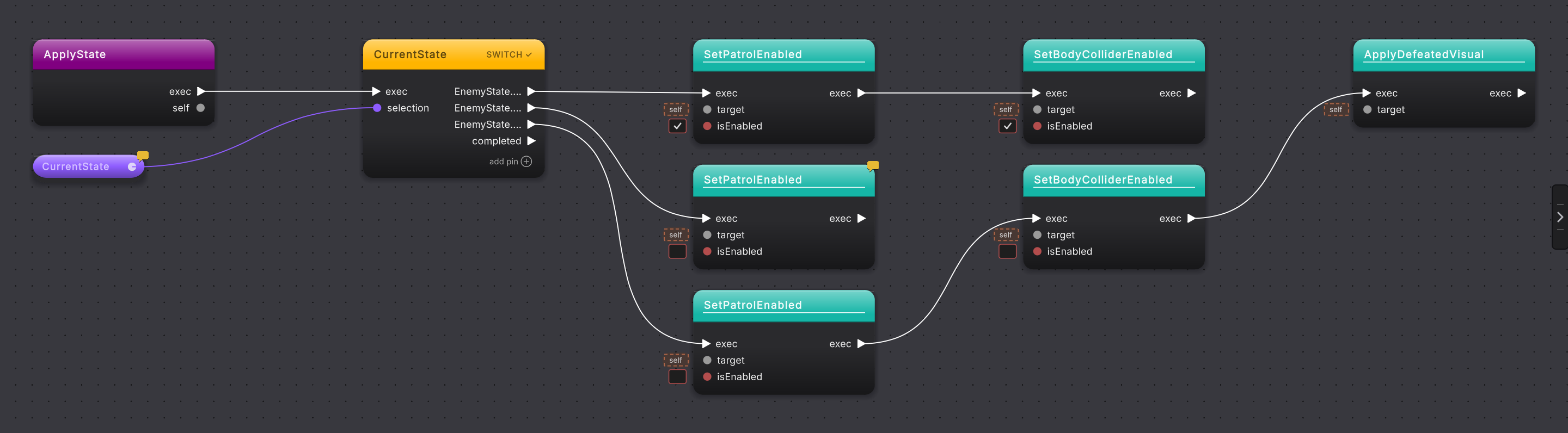
EnemyState switch and its case arms.EnemyState is a compact enum with three members. LevelRules is a ScriptableObject whose fields are grouped by [Header] attributes and initialized from named constants.
- Choose Assets > Round Trip > New Class.
- Select
enumas the kind, enterEnemyState, choose its folder and access, then create the draft. An enum has no parent class. - In the enum’s Members section, add
Patrolling,Stunned, andDefeated. Leave Value empty for implicit numbering, or enter an explicit C# value. - Reorder your work by removing and re-adding only when that source change is intended. Unity stores enum fields by number, so the editor warns when an edit moves saved numeric values.
- For a data type, create a class or choose a ScriptableObject parent.
- Add fields from the Variables section. Give each field a name, type, access, attributes, and, for constants, a required value. The type row opens the project-wide type chooser, so
EnemyState, Unity types such asRigidbody2D, and generic types such asList<T>can be chosen; a generic type then asks for each type argument in turn. - Use
Shown in the Inspectorand the Inspector tooltip controls when the field should carry[SerializeField]or[Tooltip]. - Press Compile in the toolbar. New fields are written after the class’s last field, in creation order and in the file’s style.
What it writes
Section titled “What it writes”When it goes wrong
Section titled “When it goes wrong”When it goes wrong
| Symptom | Check | Fix |
|---|---|---|
| A new enum offers a parent | Check whether the kind is still class. | Choose enum. The parent cards become unavailable because an enum has no parent. |
| A field remains pending | Check for a missing name or type, or a constant with no value. | Complete the declaration, then Compile. |
| An enum warns that saved values move | Compare the before and after numeric values shown in the warning. | Keep the change only when updating saved Unity data is intended. |