
Get and set
Read fields and properties with GET pills, then change writable values with SET cards.
On this page
The score has to be read for the HUD and changed when a coin arrives. Those are two different graph shapes.
The problem
Section titled “The problem”ScoreCounter.AddCoins reads Coins, count, _rules, and coinScoreValue, then writes Coins and Score. A compact read should not look like a statement that changes game state.
When to reach for it
Section titled “When to reach for it”Use a GET pill to read a field, property, local, parameter, this, or static member. A pill is a pure value source and has no exec pins, so a GET is never a statement of its own: it is written only where the node it feeds is written. Use a SET card to assign a writable field, property, local, member, or element. SET is an impure statement on the exec chain.
Properties follow their source shape. Storage-backed properties fold with their field as one variable. Computed getter and setter bodies appear with methods. A getter-only property does not offer a writable SET path.
A local whose type row is set to var in the type chooser takes its type from its first set. Get and set nodes made for it carry the type that set was given, and a new var local is declared by that set, as in var velocity = _rigidbody.linearVelocity;. A field is never offered var.
See it
Section titled “See it”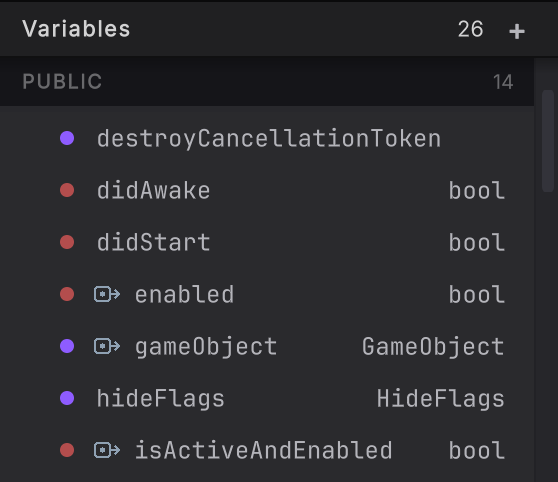
- Find a value in the Variables or Local Variables rail.
- Right-click it and choose Create Get Node for a GET pill or Create Set Node for a SET card. A read-only member keeps the set action unavailable.
- To read a static member, right-click empty canvas and use the static-reference search. The pill records the declaring type as well as the member.
- To walk into an object, drag its typed output pin onto empty canvas. The menu lists every direct member of the type, each followed by its nested members as dotted paths, up to four members deep. Typing in its filter lists the type’s own matches before nested ones.
- Dragging a variable from the rail onto the canvas asks one level at a time instead, to the same depth. Choose get or set when the leaf is reached. A read such as
_renderer.material.colorbecomes one root GET pill and one member pill withmaterialin its eyebrow. A write is the member SET node: a target wired from the owner, a value, and the member out, and Compile readsvelocity.y = 2or_rigidbody.linearVelocity = velocityback as that same node. - Choose name of when source needs the member’s name as text. Round Trip places a GET pill and a
nameofvalue node together. - Connect the read to a consumer, or connect a value into the SET card. Put SET on the exec chain.
- Press Compile in the toolbar and let the re-parse replace the draft with the source-backed shape.
What it writes
Section titled “What it writes”When it goes wrong
Section titled “When it goes wrong”When it goes wrong
| Symptom | Check | Fix |
|---|---|---|
| SET is unavailable | Check for a getter-only property, readonly field, or instance member inside a static method. | Choose a writable member or edit the declaration in C#. |
| The member walk stops | Check the current depth and whether the type can be resolved. | Choose the current value itself, or finish a deeper path in C#. |
| A static name resolves to the wrong-looking type | Read the declaring-type path shown by the picker. | Pick from the resolved project list, not by a short-name guess. |