
Preview and Compile
Review an in-memory graph draft, undo safely, then write and re-parse the source.
On this page
The graph can change before the file does. That gap is where you inspect the draft, undo an experiment, or decide the source edit is ready.
The problem
Section titled “The problem”Saving every drag or field change immediately would make exploration risky. It would also hide the important boundary between graph configuration and C# behavior.
When to reach for it
Section titled “When to reach for it”Use the preview state whenever a graph, declaration, default, guard, signature, or member edit is pending. The banner says Previewing your changes. and the toolbar’s Compile becomes active.
Compile lives in the top toolbar only. The Previewing your changes. panel pinned to the top of the right rail counts the pending edits and offers Undo. Guard, property access, and overload default edits are written by the same Compile. The toolbar tooltip reads compile and save when work is pending, nothing to save when the graph matches source, and compiling… while the write is running. A pending change that still needs attention, such as a guard that is not ready, turns Compile off with Fix the pending change that needs attention before compiling.
See it
Section titled “See it”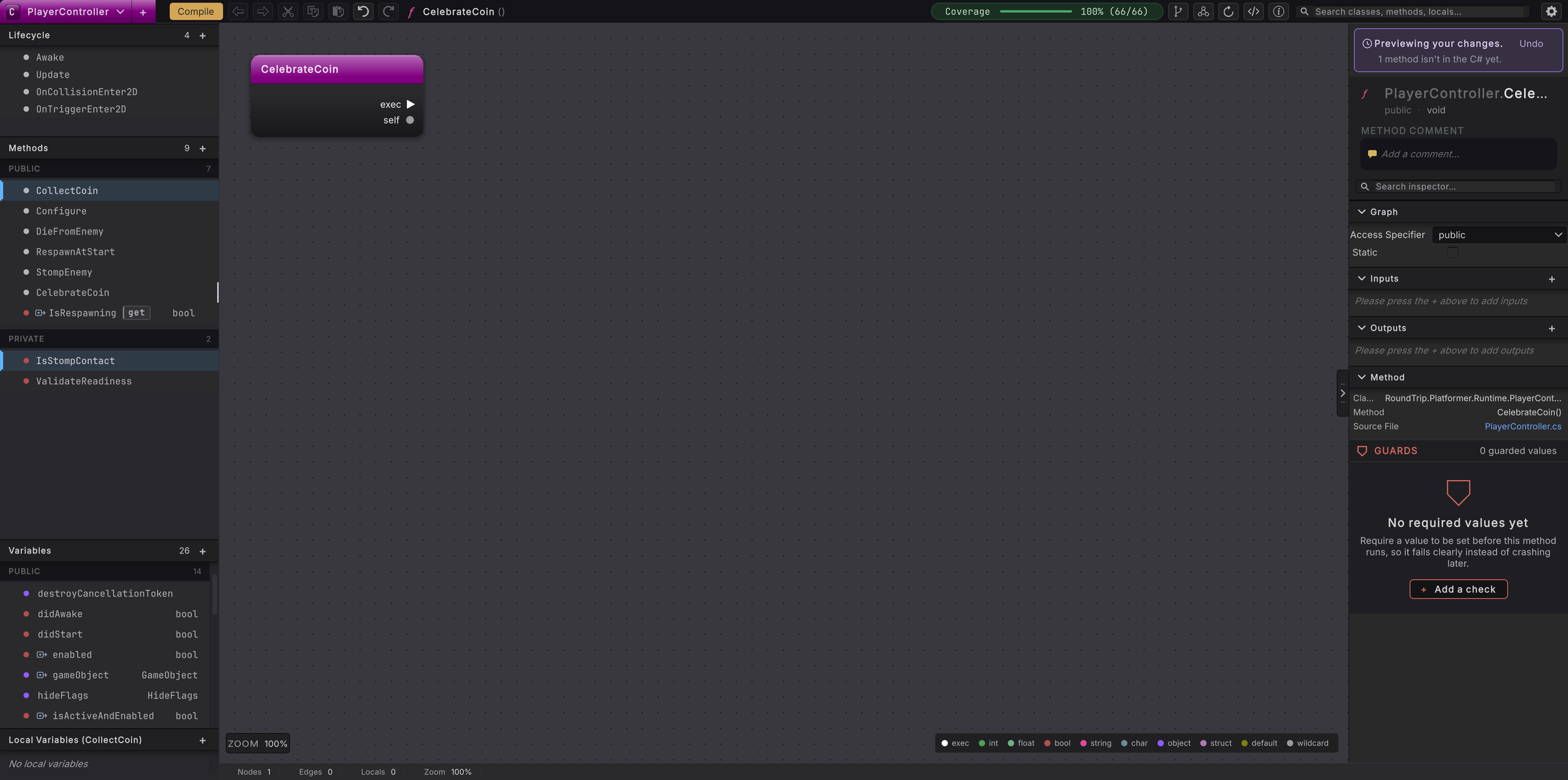
- Make one supported graph or declaration change.
- Look for Previewing your changes.. Inspect the changed node, wire, rail field, or source-shaped summary.
- Use Undo before Compile to reverse the draft. Redo restores it while the source baseline is still current.
- If the draft is correct, press Compile in the toolbar. Cmd/Ctrl+S runs the same pending-change flush.
- Round Trip plans the smallest safe source mutation. It rechecks the file timestamp before writing.
- The updated file is written atomically, imported by Unity, indexed, and parsed again.
- Wait for the graph to return to its source-backed state. The preview banner clears when no pending work remains.
- If Compile refuses, read the named reason. The file stays unchanged and the draft stays available for repair or discard.
What it writes
Section titled “What it writes”Source-backed edits enter the .cs file. Layout, viewport, zoom, reroute knots, graph notes, and collapsed sections enter graph configuration instead. Round Trip does not insert canvas coordinates into C#.
A source write is followed by a re-parse, so the graph returns to the C# Unity will compile.
When it goes wrong
Section titled “When it goes wrong”When it goes wrong
| Symptom | Check | Fix |
|---|---|---|
| Compile says nothing to save | Look for the preview banner and any changed rail state. | Make a source-backed draft; layout-only changes save as graph configuration. |
| Compile remains busy | Check whether Unity is compiling or importing. | Wait for Unity to become ready; the graph retries after editor work settles. |
| A refusal appears | Read the exact construct or declaration named in the message. | Repair the draft, discard it, or make that edit in C#. |