
Explorer
Use the left and right rails to find a class, choose a member, and understand what you opened.
On this page
The Explorer turns a project full of C# into a route you can follow: class on the left, method in the middle, facts on the right.
Read the window from left to right
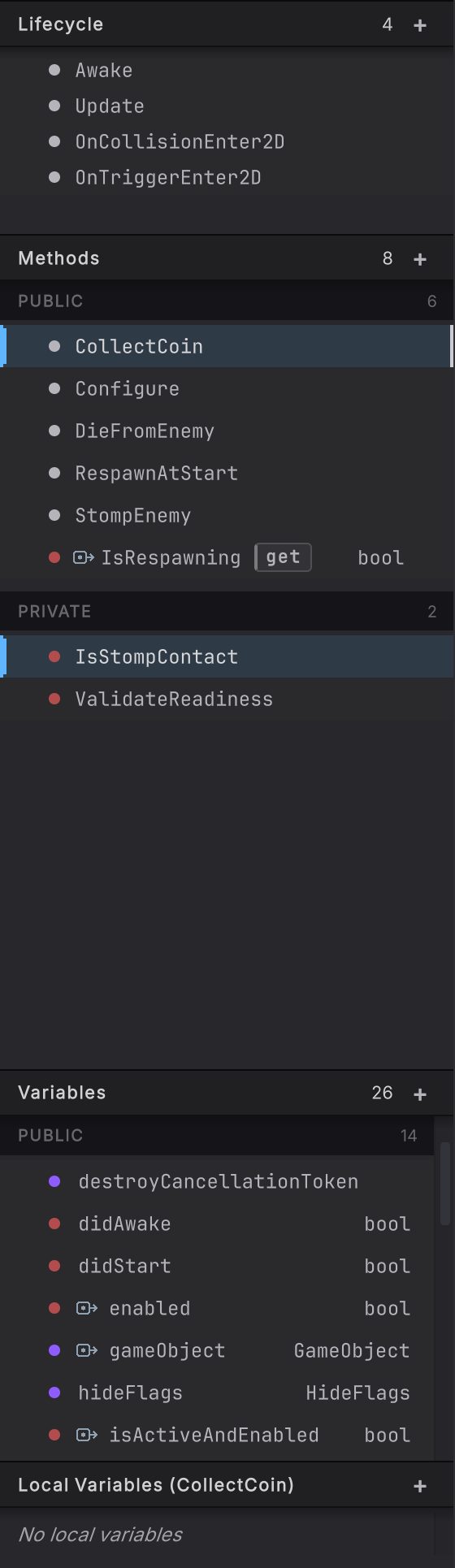
Section titled “Read the window from left to right”The left rail starts with classes found in the folders included in Round Trip. Pick one and its methods, variables, properties, and events become the local table of contents. The center canvas shows the selected method body. The right rail explains the selected class, method, member, or node.
The three Explorer guides
Section titled “The three Explorer guides”- Classes and members: use the class picker, global search, access groups, overloads, accessors, and keyboard navigation.
- Identity and inspector: read the identity header, edit an eligible name, inspect node cards, and find the pinned pending-changes panel.
- Navigate to source: jump from a method or node to C#, then move through graph history or reload the active method.
A good first pass
Section titled “A good first pass”Open PlayerController, choose CollectCoin, and read only the large shapes. The entry node tells you where execution starts. Branches show decisions. Call cards name the collaborators. Then select one card and use the right rail for the exact signature, pins, and comment.
You do not need to understand every node before the method becomes useful. The Explorer is built for narrowing: project, class, member, path, detail.
- Classes and members: find a method without hunting through folders.
- Identity and inspector: read exactly what the selected thing is.
- Navigate to source: cross-check the graph against C#.